
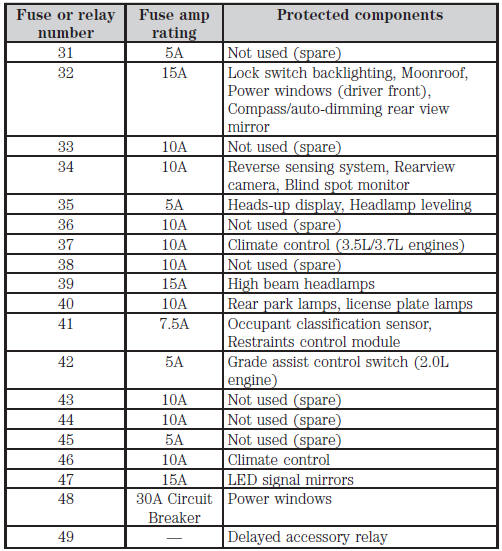
Fuse specification chart
Power Distribution Box
WARNING: Always disconnect the battery before servicing high current fuses.
WARNING: To reduce risk of electrical shock, always replace the cover to the power distribution box before reconnecting the battery or refilling fluid reservoirs.
The power distribution box is located in the engine compartment. It has high-current fuses that protect your vehicle’s main electrical systems from overloads.
If the battery has been disconnected and reconnected, see Changing the Vehicle Battery in the Maintenance chapter.
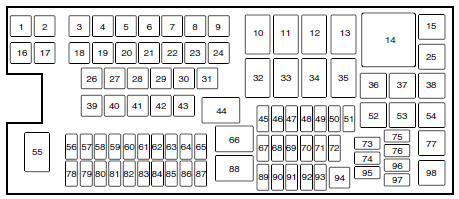
The high-current fuses are coded as follows:
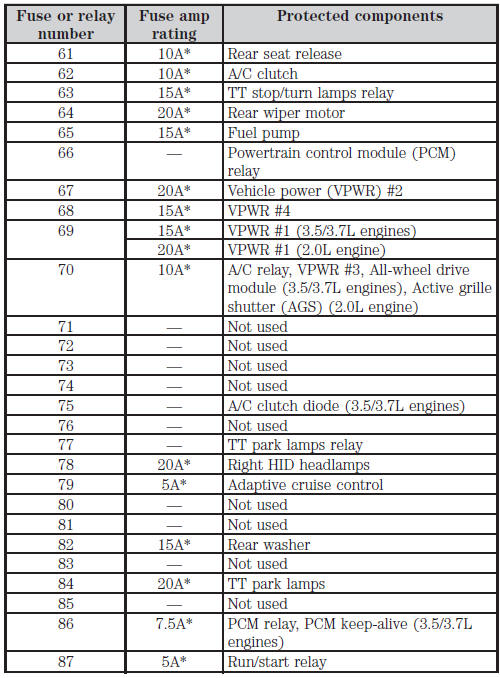
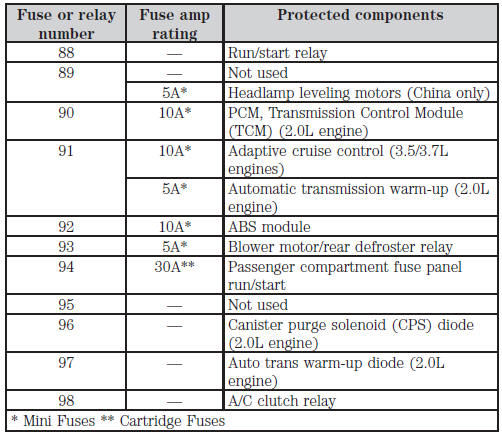
Passenger Compartment Fuse Panel
The fuse panel is located behind a trim panel on the left side of the driver’s footwell near the parking brake. To remove the trim panel, slide the release lever to the right then pull the trim panel out.
To remove the fuse panel cover, press in the tabs on both sides of the cover, then pull the cover off.
To reinstall the fuse panel cover, place the top part of the cover on the fuse panel, then push the bottom part of the cover until it clicks into place. Gently pull on the cover to make sure it is secure.
To reinstall the trim panel, align the tabs on the bottom of the panel with the grooves, push the panel shut and slide the release lever to the left to secure the panel.
To remove a fuse, use the fuse puller tool provided on the fuse panel cover.
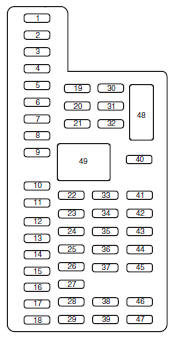
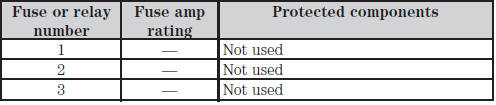
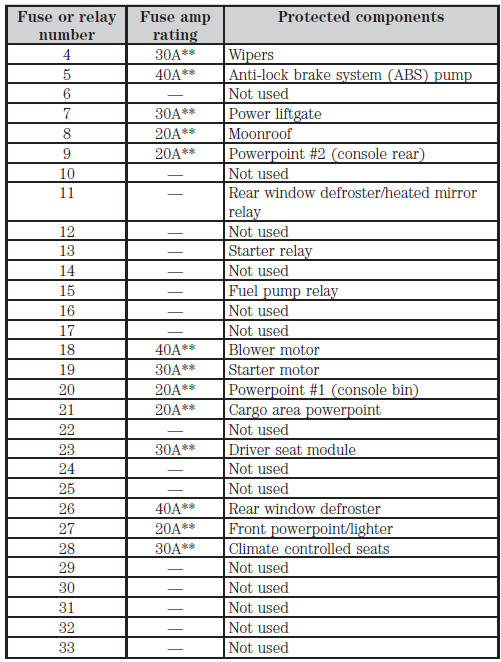
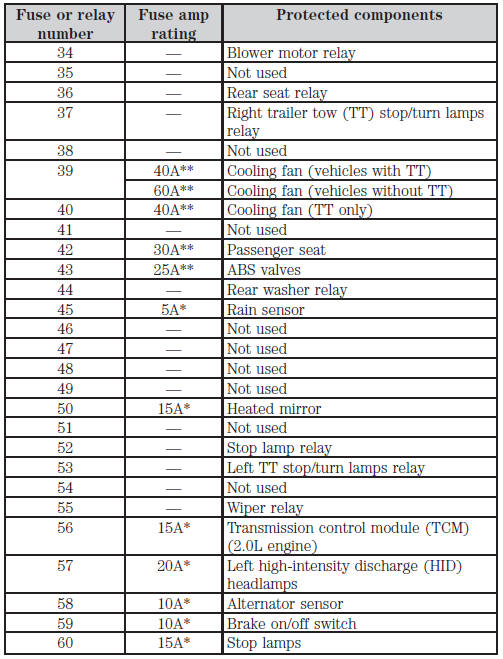
The fuses are coded as follows.
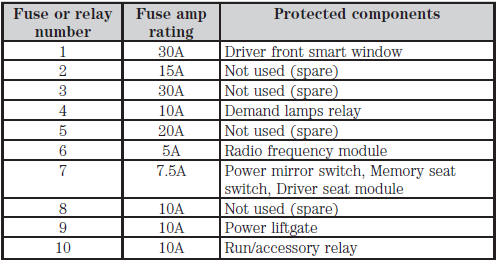

See also:
Positive Retention Floor Mat
WARNING:
Always use floor mats that are designed to fit the foot well of your vehicle.
Only use floor mats that leave the pedal area unobstructed. Only use floor mats
that are firmly secured t ...
Fuel pump shut-off switch
This device stops the electric fuel pump from sending fuel to the engine when
your vehicle has had a substantial jolt.
After an accident, if the engine cranks but does not start, this switch may ha ...
Traction Control
PRINCIPLES OF OPERATION
The traction control system helps avoid drive wheel spin and loss of traction.
If your vehicle begins to slide, the system applies the brakes to individual
wheels and, when ...