
Audio control
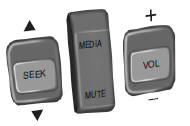
SEEK: Press to select the next or previous stored preset or track.
Press and hold to select the next or previous frequency or seek through a track.
MEDIA: Press repeatedly to scroll through available audio modes.
MUTE: Press to silence the radio.
VOL (Volume): Press to increase or decrease the volume.
Voice control (if equipped)
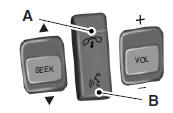
A. Phone mode
B. Voice recognition
See the SYNC or MyFord Touch chapter.
Cruise control
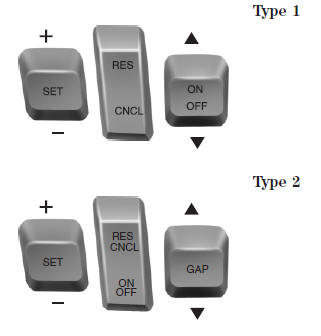
See the Cruise Control chapter for information on this feature.
See also:
Brakes
Occasional brake noise is normal. If a metal-to-metal, continuous grinding or
continuous squeal sound is present, the brake linings may be worn-out and should
be inspected by an authorized dealer. ...
Tire care
Inspecting your tires and wheel valve stems
Periodically inspect the tire treads for uneven or excessive wear and remove
objects such as stones, nails or glass that may be wedged in the tread gro ...
Remote control
Integrated Keyhead Transmitters (IKTs) (If Equipped)
Your vehicle may be equipped with two integrated keyhead transmitters.
Use the key blade to start your vehicle and unlock or lock the driver do ...